Fast-loading pages and sharp visuals rarely arrive together by accident. Marketing teams constantly balance image quality against performance, especially when campaigns rely on landing pages, email banners, paid ads, and social media creatives.
The challenge is familiar: oversized JPG files slow down websites, hurt Core Web Vitals, and quietly damage conversions. But over-compressing images can make product shots blurry, distort brand visuals, and reduce trust.
Thats why many teams now look for ways to compress JPG without losing quality instead of simply shrinking files aggressively.
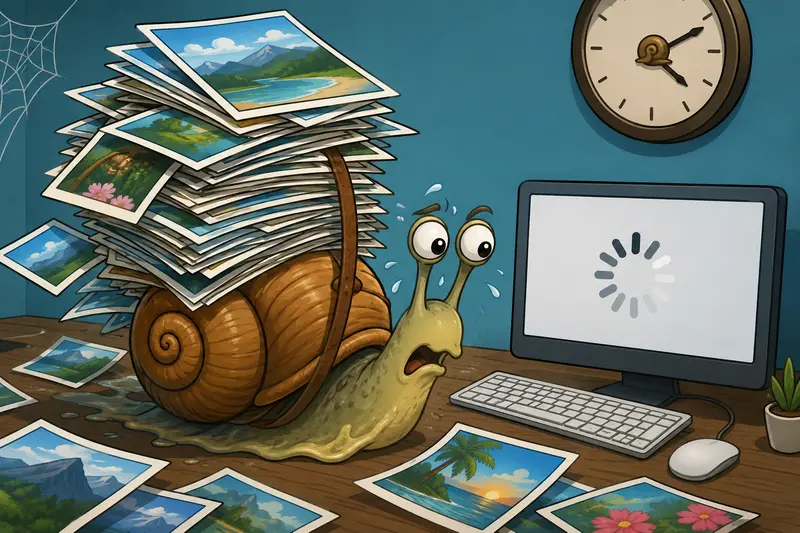
Why Image Compression Matters More Than Most Marketers Realize
A single homepage banner can easily exceed 48 MB after export from design tools. Multiply that across campaign pages, blog images, thumbnails, and downloadable assets, and performance problems appear quickly.
Large images can affect:
- Mobile bounce rates
- SEO performance
- Ad landing page speed scores
- Email loading behavior
- CDN and bandwidth costs
- Conversion rates on slower connections
And the issue isnt limited to JPG files. Teams often also need to convert between JPG, PNG, WEBP, HEIC, and AVIF when preparing assets for different channels and devices.
Modern compression workflows are less about making files smaller and more about preserving visual credibility while improving delivery speed.
The Short Version
If your goal is to compress JPG without losing quality, the safest approach is:
- Use intelligent compression instead of maximum compression
- Keep original dimensions appropriate for actual display size
- Avoid repeated re-saving of the same image
- Use browser-based tools that preserve metadata selectively and process files temporarily
- Test results on mobile screens, not just desktop monitors
A good compression workflow should reduce file size substantially while maintaining clean edges, readable text overlays, and accurate colors.
Thats exactly where tools like Filemazing Image Compressor https://filemazing.com/compress-image fit well for marketing teams managing frequent uploads and campaign assets.
Where Compression Usually Goes Wrong
A surprising number of quality issues happen before compression even starts.
Here are some common mistakes marketers run into:
Exporting oversized images
Uploading a 5000px-wide JPG for a blog header that only displays at 1200px wastes bandwidth immediately.
Compressing already compressed files repeatedly
Every JPG save introduces some loss. Recompressing the same asset several times gradually creates visible degradation.
Using PNG unnecessarily
PNG files are excellent for transparency and graphics, but marketers often use them for photography-heavy visuals where JPG performs far better.
If you need to compress PNG for website speed, its worth comparing whether JPG or WEBP would be more efficient first.
Prioritizing tiny file size over actual experience
A 70 KB image may sound impressive until product textures disappear and text overlays become fuzzy.
Compression should support performance not sabotage visual trust.

A Real Marketing Workflow Example
One ecommerce team tested a batch of 42 JPG product images before a seasonal campaign launch.
Original files:
- Average size: 6.3 MB each
- Exported directly from Photoshop
- Used for landing pages and Meta ads
After high quality image compression:
- Average size dropped to around 850 KB
- Visual differences were barely noticeable on mobile
- Landing page speed improved significantly
- Upload handling became faster across CMS workflows
The biggest improvement actually came from resizing dimensions before compression. Several files were far larger than the website could ever display.
Thats an easy detail to miss during fast-moving campaign production.
How the Compression Process Works
Most modern compression tools analyze image complexity instead of simply lowering quality evenly across the entire file.
Areas with smooth gradients compress differently than sharp text edges or detailed textures.
When using Filemazing Compress Image Tool https://filemazing.com/compress-image, marketers can process images directly in the browser without installing desktop software or running heavyweight editing apps.
The workflow is straightforward:
- Upload JPG images
- Adjust compression level if needed
- Process files in the browser workflow
- Download optimized assets
For teams managing multiple creatives, batch handling becomes especially useful during launch periods.
And because Filemazing uses temporary processing rather than permanent storage, uploaded assets are treated as short-lived processing artifacts instead of long-term hosted files. That matters for agencies handling client materials or embargoed campaign creatives.
The Quality Tradeoff Nobody Mentions Enough
There is no such thing as completely lossless JPG compression once meaningful size reduction happens.
The real objective is perceptual quality preservation.
That distinction matters.
A high-performing image workflow focuses on maintaining:
- sharp typography
- acceptable texture detail
- natural skin tones
- consistent gradients
- strong mobile appearance
Rather than obsessing over pixel-perfect zoom comparisons at 400%.
In practical marketing use, users care more about:
- fast page loads
- responsive mobile behavior
- visual clarity during normal viewing
Not microscopic differences hidden inside oversized files.
A Useful Tip for Better Compression Results
One of the most effective ways to preserve quality is surprisingly simple:
Resize before compressing.
If your blog layout displays images at 1400px maximum width, compressing a 6000px export wastes processing and often creates harsher artifacts.
Downscaling first usually produces:
- cleaner visual results
- smaller final files
- more predictable compression behavior
This becomes especially noticeable for:
- ecommerce product photography
- social ad creatives
- screenshot-heavy landing pages
- blog hero images
Privacy and File Handling Considerations
Marketing assets often contain more hidden information than expected.
Photos and exported graphics can include:
- device metadata
- geolocation details
- author information
- editing history
Before distributing files publicly, many teams also run images through a metadata scrubbing workflow to remove hidden metadata from shared assets.
For sensitive campaign materials or client deliverables, compressed archives can also be protected using file encryption tools before external sharing.
These steps sound technical, but they increasingly matter in agency and distributed team environments.

Why Browser-Based Compression Appeals to Marketing Teams
Traditional desktop editors are powerful, but they are not always efficient for repetitive optimization tasks.
Browser-based workflows simplify things for marketers who need:
- rapid turnaround
- lightweight tooling
- temporary processing
- collaboration flexibility
- device independence
Filemazing also supports cloud imports through services like Google Drive and Dropbox, which reduces friction when assets live across shared team storage.
For larger operations, API-based automation can help compress incoming assets automatically as part of publishing workflows.
Thats particularly useful for content-heavy teams processing hundreds of campaign visuals each month.
Choosing the Best Image Compressor for Marketing Use
The best image compressor depends heavily on workload type.
Some tools prioritize:
- maximum compression
- developer integrations
- batch throughput
- design precision
- format conversion
For marketers specifically, the most useful balance usually includes:
- strong quality retention
- fast browser workflows
- predictable processing
- support for multiple formats
- minimal setup friction
Filemazings token-based pricing model also makes practical sense for uneven workloads. Teams can estimate processing costs ahead of time instead of committing to another fixed monthly subscription they barely use outside campaign periods.
When JPG Isnt the Best Option
JPG works extremely well for:
- photography
- gradients
- marketing banners
- product images
But its not ideal for everything.
You may want alternative formats when handling:
- transparent graphics
- logos
- interface icons
- sharp UI screenshots
In some cases, WEBP or AVIF deliver better compression efficiency than JPG while preserving excellent visual quality.
Thats where flexible format conversion workflows become valuable instead of forcing every asset into one format.

FAQ
Can you really compress JPG without losing quality?
Not perfectly in a technical sense. However, modern high quality image compression can reduce file sizes dramatically while keeping visual differences nearly invisible during normal viewing.
Does compression improve SEO?
Indirectly, yes. Smaller image files improve page speed and Core Web Vitals, which support better user experience and search performance.
Is JPG better than PNG for website speed?
Usually for photographic images, yes. PNG files are often much larger. For transparent graphics or logos, PNG may still be the better option.
Are browser-based compression tools safe?
Reputable tools use temporary processing and scheduled cleanup behavior instead of permanent storage. Always review how uploaded files are handled before using any service.
What file sizes should marketers aim for?
Theres no universal number, but many modern websites target:
- under 300 KB for standard content images
- under 1 MB for large hero visuals
The ideal size depends on dimensions and image complexity.
Can compression damage ad creatives?
It can if settings are too aggressive. Text-heavy ads and detailed product shots tend to reveal artifacts sooner than lifestyle photography.
Final Thoughts
Image optimization has become part of modern marketing operations, not just a technical afterthought.
Teams that consistently compress JPG without losing quality gain advantages that extend beyond smaller files:
- faster campaigns
- smoother mobile experiences
- improved page performance
- better content scalability
The key is using compression intentionally rather than chasing the smallest possible file size.
If you regularly manage landing pages, ads, ecommerce visuals, or content publishing workflows, Filemazing Compress Image Tool https://filemazing.com/compress-image offers a practical way to optimize images efficiently while preserving the visual quality your brand depends on.